Web App Development
  Cloud App Development
  Front-End Development
  Cross Platform Development
  MVP Development
  Application Modernization
  PWA Development
  SaaS Application Development
  Software Development Outsourcing
  Offshore Custom Software Development
  Full Stack Software Development
  Custom Software Development
  Enterprise Software Development
  Cloud Computing Solutions
  Cloud Development
  Managed Cloud Services
  Cloud Native Development
  AI Consulting
  Machine Learning Development
  LLM Development
  AI Chatbot Development
  Data Analytics
  CI CD Development
  Digital Transformation
  Dev Ops
  Content Development
  Blockchain Development
  Web Development
  Web Design



 Generative AI
  Large Language Model
  AI Chatbot
  AngularJs
  ReactJS
  Dotnet Core
  Android
  iPhone
  Swift
Swift  E-Commerce
  NopCommerce
  BigCommerce
  Laravel
  Yii
Yii  AWS
AWS  Google Cloud
  Azure DevOps
  Automation Testing
  Security Testing
  API Testing
  Functional Testing
  MEAN Stack
  MERN Stack
  Full Stack Developers
  biz.encodedots
  biz@encodedots.com
  +91 99747 42737


- How Does ERP Connect Production Planning
- What Is ERP for the Manufacturing Industry?
- Why Do Production Planning
- How Does ERP Handle Production Planning?
- How Does ERP Manage Manufacturing Inventory?
- How Does ERP Streamline Manufacturing Procurement?
- How Do Production Planning
- How ERP Handles a Manufacturing Order
- Trigger-and-Response
- What Business Benefits
- Which Manufacturing KPIs Can ERP Help Track?
- How ERP Requirements Differ for Discrete and Process Manufacturing
- What Mistakes Should Manufacturers
- When Should a Manufacturer NOT Implement
- How Should Manufacturers Implement an ERP?
- Cost and Timeline
- Custom ERP vs Off-the-Shelf ERP for Manufacturers
- What Should Manufacturers Look for in an ERP?
- What Is the Future of Manufacturing ERP?
- Key Takeaways
- Conclusion
- Frequently Asked Questions
It is 9:40 AM on the shop floor. The planner has committed 1,000 units for a Friday dispatch. The storekeeper says the raw material is available. The purchase team is still waiting for a supplier confirmation on the same material that was “available.” By evening, the line stops.
Nothing here is a people problem. It is a data problem. Production is planning from a spreadsheet, inventory is tracked in a legacy system, and procurement runs on email. Three systems, three versions of the truth, and no one is wrong on their own screen.
This is exactly the gap an ERP for manufacturing industry operations is meant to close. In this guide, we break down how production planning, inventory, and procurement actually connect inside an ERP: the MRP logic, the data flow, a worked example with real numbers, the KPIs worth tracking, implementation realities, cost drivers, and the situations where you should not implement an ERP yet.
How Does ERP Connect Production Planning, Inventory, and Procurement?
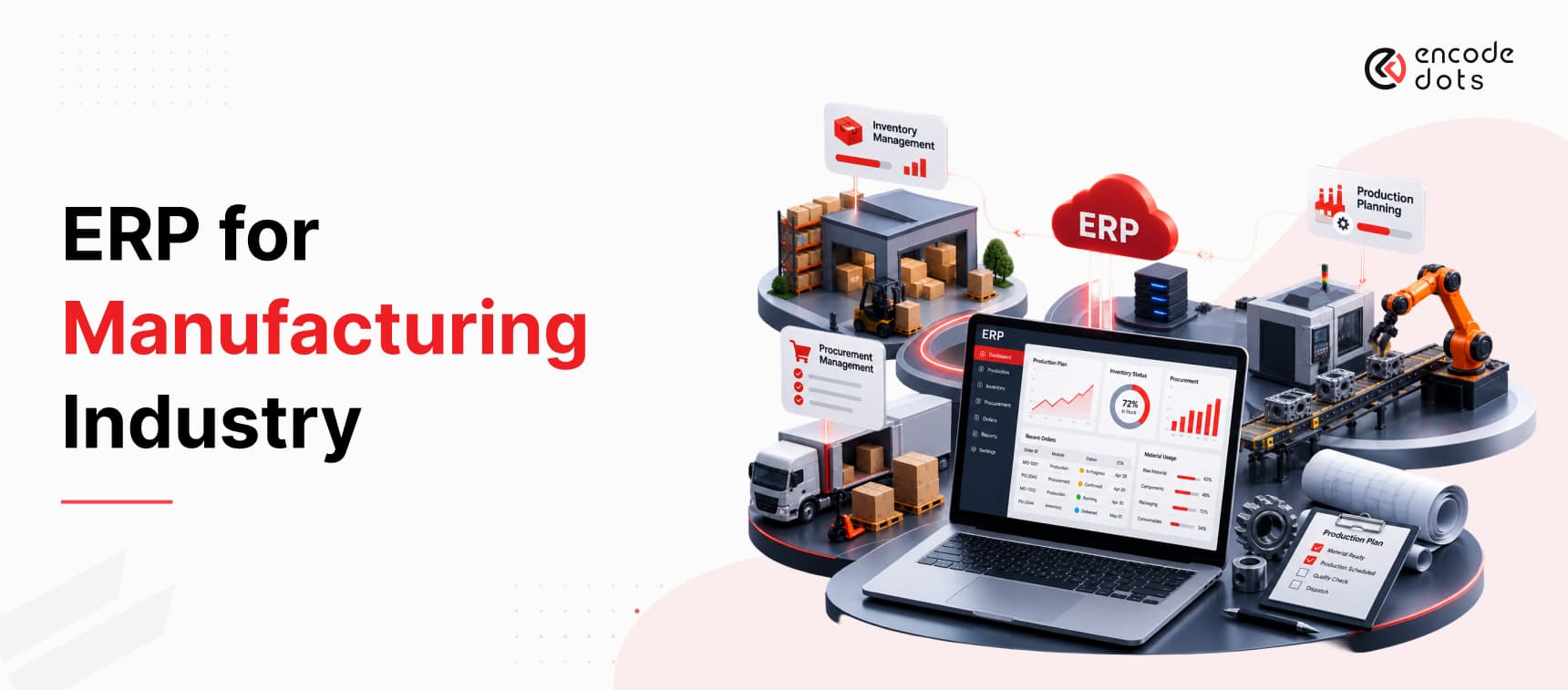
An ERP connects these three functions by running them on one shared database instead of three separate systems. A confirmed sales order feeds the Master Production Schedule (MPS), which triggers Material Requirements Planning (MRP). MRP explodes the Bill of Materials (BOM), checks live inventory, detects shortages, and automatically raises a purchase requisition. Goods received update stock, stock issues update WIP, and production output updates finished goods in real time.
The flow looks like this:
Sales Order → MPS → MRP → BOM Explosion → Stock Check → Shortage Detection → Purchase Requisition → Purchase Order → Goods Receipt → Inventory → Production → WIP → Finished Goods
What Is ERP for the Manufacturing Industry?
Manufacturing ERP is an integrated software system that runs production planning, materials, inventory, procurement, quality, and finance on a single database so that a change in one function updates every other function automatically. The difference from generic business software is that it understands manufacturing objects BOMs, routings, work centres, work orders, batches, and lot numbers not just invoices and stock counts.
If you are new to the category itself, our primer on what ERP is and how it works covers the fundamentals before you go deeper here.
How Manufacturing ERP Differs From Generic ERP
A generic ERP can tell you that you have 4,000 units of a component in the warehouse. A manufacturing ERP can tell you that 4,000 units exist, 2,600 are reserved against three open work orders, 400 are in quarantine awaiting quality clearance, the usable free stock is 1,000, and the next inbound receipt lands in nine days.
That distinction between on-hand and available-to-promise is the single most important capability a manufacturer should test during a demo.
Manufacturing-specific capability typically includes:
- Multi-level BOM and routing management
- MRP and MPS engines with regeneration and net-change runs
- Work order lifecycle and shop-floor confirmation
- WIP valuation and material issue tracking
- Batch, lot, and serial traceability
- Capacity planning against work centres and machine calendars
- Scrap, rework, and yield handling
Core Modules Every Manufacturing ERP Should Have
Manufacturing ERP modules and what each one actually does
| Module | Core Function | Manufacturing Benefit |
| Production Planning / MPS | Converts demand into a realistic build schedule | Commitments match true capacity |
| MRP | Calculates material need, timing, and quantity | Shortages surface before they stop the line |
| BOM & Routing | Defines what goes into a product and how it is made | Accurate costing and material planning |
| Inventory Management | Tracks raw material, WIP, and finished goods | Real available stock, not paper stock |
| Procurement | Manages requisitions, RFQs, POs, and receipts | Buying is driven by demand, not guesswork |
| Warehouse Management | Bin, location, and movement control | Faster picking, fewer misplaced materials |
| Quality Management | Inspections, non-conformance, and holds | Defective stock never enters production |
| Finance & Costing | Standard vs actual cost, variance analysis | True product profitability |
| Reporting & Analytics | KPIs and operational dashboards | Decisions on data instead of instinct |
Why Do Production Planning, Inventory, and Procurement Become Disconnected?
They become disconnected because each function optimises for its own metric. Planning protects the delivery date, stores protect the stock ledger, and purchasing protects the budget and supplier relationship. Without a shared system, each one builds its own workaround, and the workarounds become the process.
The Excel and Legacy Software Problem
Spreadsheets are excellent at calculation and terrible at concurrency. The moment two people maintain two copies of a material plan, the plan is already wrong. Legacy systems create a similar problem in a different form: they hold accurate history but cannot answer forward-looking questions like “if I accept this order, what will I run short of, and when?”
The symptom is always the same: a daily coordination meeting that exists only to reconcile numbers that a system should have reconciled overnight.
What Data Silos Actually Cost a Manufacturer
- Production delays because a shortage was discovered at the machine, not at the plan
- Stockouts of low-value components that hold up high-value orders
- Overstocking as buyers keep a private safety buffer to avoid blame
- Emergency purchases at premium prices with expedited freight
- Duplicate data entry across planning, stores, purchase, and accounts
- Poor supplier visibility: nobody can say which vendor is consistently late
- Manual coordination that consumes senior people’s entire mornings
- Inaccurate inventory that makes every plan built on it unreliable
Note the pattern: none of these are dramatic failures. They are small daily losses that never appear as a line item in the P&L, which is exactly why they survive for years.
How Does ERP Handle Production Planning?
ERP handles production planning by converting demand into a time-phased schedule, then validating that schedule against material availability and plant capacity before it is released to the floor. Planning stops being a forecast on paper and becomes an executable instruction set.
Master Production Schedule (MPS)
The MPS answers what we will build, how many, and by when. It sits between demand (sales orders plus forecast) and detailed material planning.
Why it matters: without an MPS, sales commitments and factory reality drift apart. Common mistake: loading the MPS with 100% of theoretical capacity, leaving zero room for rework, breakdowns, or urgent orders.
Material Requirements Planning (MRP)
MRP takes the MPS and works backwards through the BOM to calculate what to buy, what to make, how much, and when to start.
For each material, MRP computes:
Net Requirement = Gross Requirement − On-Hand Stock − Scheduled Receipts + Safety Stock + Reserved Quantity
It then offsets that requirement by lead time to produce a start date. If a component needs 14 days of supplier lead time and production starts on the 20th, MRP flags the order date as the 6th, not as a reminder, but as an actionable requisition.
In short: MRP is the translator between “we sold it” and “we can build it.”
Capacity Planning
Material availability alone does not make a plan feasible. Capacity planning compares the load created by planned work orders against available machine hours, labour, and tooling at each work centre. Overloaded work centres surface as a visible bottleneck instead of a Friday surprise.
Production Scheduling
Scheduling sequences work orders on specific resources by priority, changeover efficiency, or due date. Good scheduling reduces setup time; ERP makes the trade-off visible so the planner is choosing, not guessing.
BOM Management
The BOM is the foundation everything else stands on. A multi-level BOM defines components, sub-assemblies, quantities per unit, and scrap allowance.
Best practice: version-control every BOM and enforce engineering change control. A 2% error in a component quantity on a 50,000-unit run is a five-figure variance that nobody will trace back to the BOM.
How Does ERP Manage Manufacturing Inventory?
ERP manages manufacturing inventory by tracking material through every state change received, inspected, reserved, issued, consumed, and produced so that stock figures reflect what is genuinely usable rather than what is physically lying somewhere.
An ERP separates inventory into stages that behave very differently:
- Raw materials purchased, inspected, and stored against reorder logic
- Work in progress (WIP) issued to open work orders and no longer available
- Finished goods completed, costed, and ready for dispatch
On top of these, the system maintains the controls that keep planning honest:
- Safety stock to absorb demand and supply variability
- Reorder point = (Average Daily Usage × Lead Time) + Safety Stock
- Inventory reservations so committed stock cannot be double-promised
- Batch and lot tracking for traceability and recall readiness
- Serial number tracking for warranty-bound or regulated products
- Multi-location and bin-level visibility across plants and warehouses
- Inventory turnover monitoring to expose slow-moving capital
If warehouse-level control is the immediate pain point, this warehouse management system case study and our inventory management platform build show how those controls look in a working system.
Manual inventory management vs ERP-based inventory management
| Dimension | Manual / Spreadsheet | ERP-Based |
| Stock accuracy | Accurate only right after a physical count | Updated at every transaction |
| Availability check | On-hand quantity only | Available-to-promise after reservations |
| Shortage detection | Discovered at the machine | Predicted during the MRP run |
| Reorder trigger | Memory or a periodic review | Automatic at the reorder point |
| Traceability | Manual registers, slow recall | Batch and serial traceable in seconds |
| WIP visibility | Rarely tracked accurately | Tracked per work order and operation |
| Valuation | Month-end estimate | Continuous, costed by transaction |
How Does ERP Streamline Manufacturing Procurement?
ERP streamlines procurement by turning it into a demand-driven process: the system raises a requisition because MRP detected a genuine shortage, not because someone remembered to check. Every step is documented, approved, and matched.
A typical ERP procurement cycle runs:
- Purchase requisition auto-generated by MRP or raised manually with justification
- RFQ issued to approved vendors with specification and quantity
- Supplier selection evaluated on price, lead time, quality history, and capacity
- Purchase order released after the approval workflow clears
- Order tracking acknowledgement, dispatch, and expected receipt date
- Goods receipt quantity verified, quality inspected, stock updated
- Three-way matching PO vs goods receipt note vs supplier invoice before payment
- Vendor performance review on-time delivery, rejection rate, price variance
Two of these deserve emphasis. Three-way matching is the control that stops a plant from paying for material it never received in full and it only works when receipts are entered at the gate, not at month-end. Supplier lead time accuracy is the input that quietly determines whether every MRP output is trustworthy. If a vendor’s real lead time is 21 days and the master data says 14, the system will keep producing plans that fail.
That single field is the most commonly neglected piece of master data in manufacturing ERP.
Ready to Connect Production Planning, Inventory, and Procurement?
Move beyond disconnected spreadsheets and systems with an integrated ERP approach built around your manufacturing workflow. Discuss your requirements with our team and identify the right ERP strategy for your business.
Book a Free ConsultationHow Do Production Planning, Inventory, and Procurement Connect Inside an ERP?
This is the part that generic ERP content skips, and it is the part that determines whether an implementation pays for itself.
In an integrated ERP, these three functions are not linked by reports or exports; they are the same dataset viewed from three angles. One material master record simultaneously serves as a planning input, a stock balance, and a purchasing item. When any of them changes, all three views change together.
Here is the complete data flow:
Sales Order
↓
Master Production Schedule (MPS)
↓
MRP Run
↓
BOM Explosion → Component-level requirements
↓
Stock Check → On-hand − Reserved = Available
↓
Shortage Detected
↓
Purchase Requisition (auto-generated, lead-time offset)
↓
Approval → Purchase Order → Supplier
↓
Goods Receipt → Quality Inspection
↓
Inventory Updated (available for planning)
↓
Material Issued to Work Order → WIP
↓
Production Confirmation → Finished Goods
↓
Dispatch → Sales Order Closed
What Happens When a Customer Order Changes Mid-Cycle?
A quantity increase from 1,000 to 1,400 units does not just change a sales document. The MPS revises the build quantity, MRP recalculates net requirements, the stock check re-runs against current reservations, and a supplementary requisition is raised for the incremental shortage with a start date offset by supplier lead time. Planning, stores, and purchase all see the change in the same run.
In a disconnected setup, that same change travels by email and reaches procurement three days late, which is usually three days more than the lead time buffer allows.
How Does Shop-Floor Data Affect Procurement?
Consumption at the machine is the truest inventory signal a plant has. When operators confirm actual issue and scrap quantities against a work order, the ERP corrects stock in real time. If the actual scrap rate is running at 6% against a BOM allowance of 3%, MRP sees the higher consumption and adjusts future requirements upward. Procurement responds to reality rather than to the ideal BOM.
How Does Inventory Availability Affect Production Scheduling?
A scheduler working from on-hand quantity will keep releasing work orders that cannot be built. An ERP releases against available stock net of reservations and can enforce a material-availability check before a work order is confirmed. The result is fewer part-started jobs sitting on the floor consuming space and capital.
How Does Procurement Lead Time Affect Production Planning?
Lead time is the constraint that connects the two ends of this chain. Every promised delivery date is really a statement about the longest supplier lead time in the BOM. ERP makes that explicit by back-scheduling from the required date, which is why a good implementation forces manufacturers to clean up vendor lead-time data before go-live.
How ERP Handles a Manufacturing Order: A Practical Example
The following is an illustrative scenario built to demonstrate MRP logic. The figures are hypothetical, not results from a specific client.
A customer orders 1,000 units of a finished assembly, required in 30 days.
Step 1: BOM explosion. The BOM requires 4 units of Component A per finished unit. Gross requirement = 1,000 × 4 = 4,000 units of Component A
Step 2: Scrap allowance. BOM scrap factor is 2%. Adjusted requirement = 4,000 × 1.02 = 4,080 units
Step 3: Stock position check.
- On-hand stock: 3,000 units
- Reserved against other open work orders: 1,200 units
- Available stock = 3,000 − 1,200 = 1,800 units
Step 4: Shortage calculation. Shortage = 4,080 − 1,800 = 2,280 units
Step 5: Safety stock policy. Policy requires a 500-unit buffer on this component. Procurement quantity = 2,280 + 500 = 2,780 units
Step 6: Lead time offset. Supplier lead time is 14 days; inspection adds 2 days. Material must be ordered by Day 3 to be available for a Day 19 production start.
Step 7: Schedule validation. Production needs 8 working days on the assembly line, which has 60% free capacity in that window. Day 19 start supports a Day 27 completion three days ahead of the commitment.
The commercially important detail is in Step 3. A team looking only at on-hand stock would have seen 3,000 units against a 4,080 requirement, calculated a 1,080-unit shortage, and under-ordered by more than half. The reservation logic is what prevents that.
Trigger-and-Response: The End-to-End Workflow
What triggers what inside a connected manufacturing ERP
| Manufacturing Trigger | ERP Response |
| New customer order confirmed | Demand added to MPS |
| Production requirement created | MRP run calculates material need |
| Material shortage detected | Purchase requisition generated automatically |
| Requisition approved | Purchase order released to supplier |
| Material received at gate | Goods receipt posted, quality inspection triggered |
| Inspection cleared | Inventory updated and made available to planning |
| Material issued to work order | Stock reduced, WIP value increased |
| Operation confirmed on shop floor | Actual consumption and scrap recorded |
| Production completed | Finished goods stock increased, WIP closed |
| Order dispatched | Inventory relieved, invoice raised, sales order closed |
What Business Benefits Does an Integrated Manufacturing ERP Provide?
Benefits only mean something when you can trace the mechanism. Each one below follows the same structure: problem → ERP mechanism → business outcome.
Fewer production delays. Shortages are discovered during planning instead of at the machine, because MRP validates material availability before a work order is released. Lines run to schedule more often.
Better inventory control. Reservation logic and reorder points replace judgement calls, so stock decisions reflect committed demand rather than a buyer’s comfort level.
Lower stockout risk. Reorder points calculated from actual usage and real lead times trigger replenishment before the buffer is breached.
Reduced emergency purchasing. Demand-driven requisitions with lead-time offset remove most of the last-minute buying that carries premium pricing and expedited freight.
Better supplier coordination. Vendor performance data on on-time delivery, rejection rates, and price variance sits in the same system as the purchase decision, so negotiations are evidence-based.
Improved production visibility. Shop-floor confirmations show where every work order actually stands, which turns the daily status meeting into a five-minute review.
Better order fulfilment. Available-to-promise logic means sales commit dates the plant can genuinely meet.
Lower carrying cost. Accurate visibility removes the duplicate safety buffers that different departments maintain independently, releasing working capital.
Reduced manual work. One entry updates planning, stores, purchase, and finance instead of four separate registers.
Better cost control. Standard versus actual cost variance is visible per work order, so margin erosion is caught while the order is still running.
Which Manufacturing KPIs Can ERP Help Track?
| KPI | What It Measures | Why It Matters |
| Inventory Turnover | How many times stock cycles in a period | Higher turnover means less capital locked in material |
| Stockout Rate | Frequency of unavailable material at point of need | Direct indicator of planning and procurement health |
| Production Cycle Time | Time from work order release to completion | Shows real throughput capability, not theoretical |
| On-Time Delivery | Orders shipped by the committed date | The metric customers actually judge you on |
| Procurement Lead Time | Requisition to goods receipt duration | Reveals internal approval delays, not just supplier delays |
| Supplier On-Time Delivery | Vendor-wise delivery reliability | The input that makes MRP dates trustworthy |
| Capacity Utilisation | Used capacity against available capacity | Identifies bottlenecks and idle assets |
| OEE | Availability × Performance × Quality | The standard composite measure of equipment effectiveness |
| Production Variance | Planned versus actual material and labour | Exposes BOM and routing inaccuracy |
| Purchase Price Variance | Actual purchase price versus standard cost | Quantifies the cost of emergency buying |
A practical rule from implementation work: pick four KPIs for the first year, not ten. Teams that track everything track nothing seriously, and dashboards nobody opens are the most common form of ERP waste.
How ERP Requirements Differ for Discrete and Process Manufacturing
Treating all manufacturing as one category is where a lot of ERP selection goes wrong. A system built for assembly rarely handles recipes and yields well, and the reverse is equally true.
| Requirement | Discrete Manufacturing | Process Manufacturing |
| Product definition | Multi-level BOM with components | Formula or recipe with ingredient ratios |
| Production unit | Work order for a fixed unit count | Batch with a target output quantity |
| Output behaviour | Countable, assembled units | Variable yield, co-products and by-products |
| Traceability | Serial numbers, component genealogy | Lot traceability, forward and backward recall |
| Quality control | Inspection at defined checkpoints | In-process testing, potency and expiry management |
| Rework | Disassembly and repair possible | Often impossible; output is reblended or scrapped |
| Costing | Component and labour based | Yield and batch based |
If you make pumps, valves, or electronics, you are discrete. If you make chemicals, food, paint, or pharmaceuticals, you are process. Many plants are hybrid, and hybrid operations should test both flows in the demo rather than accepting a general assurance that the system “supports both.”
What Mistakes Should Manufacturers Avoid When Implementing ERP?
- Poor master data. Wrong lead times, outdated item masters, and missing units of measure produce a system that generates confident, incorrect plans.
- Inaccurate BOMs. If the BOM does not match what the floor actually consumes, every MRP output is wrong from day one.
- Unreliable opening stock. Going live on an unverified stock balance guarantees a credibility problem in week one.
- Ignoring supplier lead times. Optimistic lead-time data is the most common single cause of MRP dates nobody trusts.
- Over-customisation. Recreating old workarounds in new software preserves the problem and makes upgrades expensive.
- Ignoring adoption. If operators find confirmation entry slow, they will batch it at the end of the shift and real-time data disappears.
- Weak integration. An ERP that cannot exchange data with MES, CAD, e-invoicing, or logistics systems creates new silos. Clean API design matters more than most buyers expect at evaluation time.
- Insufficient testing. Test with real order volumes and a full MRP run, not five sample transactions.
- Measuring the wrong things. Tracking module usage instead of stockouts, on-time delivery, or inventory turnover tells you nothing about value.
When Should a Manufacturer NOT Implement an ERP Yet?
Sometimes the honest answer is not now. Consider delaying if:
- Your processes are not documented or agreed. ERP encodes a process; it does not design one. Undefined processes become expensive, hard-coded confusion.
- Master data is severely unreliable. If BOMs, stock, and item masters are wrong, ERP will scale that error across the plant faster than any spreadsheet could.
- Leadership has no ownership. Implementations sponsored only by IT, without an operations owner who can decide, stall in scope debates.
- Users are not prepared. No time allocated for training and parallel running means adoption fails regardless of software quality.
- Requirements are unclear. “We need an ERP” is a symptom, not a requirement. Which decision is currently slow or wrong?
- You expect software to fix a management problem. If sales commits dates without checking capacity, ERP will show the conflict; it will not resolve it.
There is a reasonable middle path. Fix master data first, run a focused inventory or procurement system, prove the discipline, then implement full ERP. It costs less and fails less often. Some manufacturers also start with targeted manufacturing software around the single worst bottleneck before committing to a plant-wide rollout.
How Should Manufacturers Implement an ERP?
- Process mapping: document how production, inventory, and procurement work today, including workarounds
- Requirement definition: separate must-have from nice-to-have with an operations owner, not just IT
- Data audit: assess BOM accuracy, stock accuracy, vendor master, and item master quality
- Master data cleanup: the phase most often underestimated and most predictive of success
- ERP selection: evaluate against manufacturing scenarios, not feature lists
- Configuration: set up plants, work centres, planning parameters, and approval workflows
- Integration: connect shop floor, CAD, logistics, e-invoicing, and finance systems
- Testing unit, integration, and full-cycle testing, including a complete MRP run at real volume
- Training role-based sessions for planners, stores, buyers, and operators separately
- Phased go-live: one plant or one module group first, then expand
- KPI monitoring: track the four metrics defined before go-live
- Continuous optimisation: revisit planning parameters after the first full quarter of live data
Teams treating this as a digital transformation programme rather than a software purchase consistently see smoother go-lives, because the process and adoption work gets budgeted properly.
Cost and Timeline: What Actually Drives the Number
Anyone quoting a universal price for manufacturing ERP is guessing. What can be stated accurately are the variables that move the number:
- Company size and transaction volume: a 40-person plant and a 900-person group are different engineering problems
- Number of users and roles: most licensing is per user or per role tier
- Modules in scope: production and inventory only, versus a full quality, maintenance, and finance footprint
- Number of plants and warehouses: multi-site adds consolidation, transfer, and reporting complexity
- Customisation depth: industry-specific workflows that standard configuration cannot cover
- Integrations required: MES, SCADA, CAD/PLM, e-invoicing, logistics, banking
- Data migration volume and quality: dirty legacy data is often the highest hidden cost
- Deployment model: cloud subscription versus on-premise capital expenditure (cloud ERP economics differ meaningfully from perpetual licensing)
- Training and change management under-budgeted in most failed projects
- Post-go-live support hypercare period, then ongoing maintenance
On timeline, the honest framing is a range driven by scope: a single-plant implementation covering production, inventory, and procurement typically runs a few months; multi-plant programmes with heavy integration run considerably longer. The variable that shortens or extends it most is not the software it is master data readiness.
Custom ERP vs Off-the-Shelf ERP for Manufacturers
| Factor | Off-the-Shelf ERP | Custom ERP |
| Initial cost | Lower, licence-based | Higher upfront development investment |
| Time to deploy | Faster with standard configuration | Longer, built around your processes |
| Process fit | You adapt to the software | Software adapts to you |
| Customisation limits | Constrained by vendor architecture | Effectively unconstrained |
| Integration | Standard connectors, variable flexibility | Built for your exact systems |
| Upgrades | Vendor-managed, may break customisations | You control the roadmap and timing |
| Maintenance | Included in subscription or AMC | Your responsibility or your partner’s |
| Total cost of ownership | Predictable; rises with heavy customisation | Higher initially, can be lower long-term at scale |
When off-the-shelf makes sense: your processes are reasonably standard, speed matters more than perfect fit, and internal IT capacity is limited.
When custom makes sense: your competitive advantage lives in a process no standard system models well, you operate a hybrid discrete-plus-process environment, or licence costs at your user count exceed a build. Our ERP work in the stone trade is a case of the third pattern; the industry workflow simply had no off-the-shelf equivalent.
A pragmatic third option many mid-sized manufacturers choose: a standard ERP core with custom modules built around it for the two or three processes that genuinely differentiate them, delivered through custom software development alongside the base platform.
What Should Manufacturers Look for in an ERP?
Evaluate against your own scenarios, in this order:
- Planning depth: MPS, MRP, capacity planning, and finite versus infinite scheduling
- BOM and routing: multi-level BOMs, versioning, engineering change control
- Inventory logic: reservations, available-to-promise, batch, lot, and serial tracking
- Procurement workflow requisition to three-way matching, with configurable approvals
- Shop-floor capability operation confirmation, scrap capture, and WIP tracking
- Warehouse control bin-level location management and movement tracking
- Quality management inspection plans, holds, and non-conformance handling
- Reporting and analytics manufacturing KPIs available without a developer
- Open APIs the practical test of whether future integration is feasible
- Deployment and scalability cloud, on-premise, or hybrid, with multi-plant readiness
- Security and role-based access buyers should not be editing BOMs
- Mobile and floor-friendly UI because adoption depends on entry speed
- Vendor viability: implementation track record in your specific manufacturing type
Ask every vendor this: “Show me a customer order changing quantity mid-production, and walk me through every downstream update: MRP, stock reservation, requisition, and schedule.” The demos that stumble here will stumble in production too.
What Is the Future of Manufacturing ERP?
The direction of travel is toward systems that recommend, not just record.
- AI-assisted demand forecasting that weighs seasonality and supplier reliability alongside history
- Planning recommendations that propose schedule adjustments when a constraint appears, with the trade-off stated
- Predictive maintenance feeding equipment risk into capacity planning, as in this predictive maintenance platform
- IIoT and MES integration pushing machine-level data into ERP without manual confirmation
- Composable, API-first architecture replacing monolithic suites with connected best-of-breed components
- Cloud and hybrid deployment becoming the default for multi-plant operations
- Real-time analytics that surface variance during a shift rather than at month end
The realistic near-term impact is in forecasting, exception handling, and data entry reduction. Manufacturers already running AI on existing ERP data tend to get more value than those waiting for a wholesale platform replacement the prerequisite is clean data, which is the same prerequisite as everything else in this article.
Key Takeaways
- Manufacturing ERP earns its cost through connection, not through any single module.
- MRP is the mechanism that links a sales order to a purchase order via BOM explosion and lead-time offset.
- Available stock ≠ on-hand stock. Reservation logic is what prevents systematic under-ordering.
- Supplier lead-time accuracy determines whether every planning date is trustworthy.
- Master data quality predicts implementation success more reliably than software choice.
- If processes are undefined or data is unreliable, fix that first; ERP will amplify the problem, not solve it.
Conclusion
The plant floor problem we opened with is rarely solved by working harder. It is solved by removing the gap between what production plans, what inventory holds, and what procurement buys, which is precisely what an integrated ERP for manufacturing operations does when the underlying master data is sound.
Start with the flow, not the feature list. Map how a single customer order should travel from commitment to dispatch in your plant, identify where that flow breaks today, and evaluate systems against that specific journey.
Planning an ERP for your manufacturing operation? EncodeDots helps manufacturers connect production planning, inventory, and procurement into one working system, whether that means a custom build, an integration layer, or extending what you already run. Book a Free ERP Consultation