Web App Development
 Cloud App Development
 Front-End Development
 Cross Platform Development
 MVP Development
 Application Modernization
 PWA Development
 SaaS Application Development
 Software Development Outsourcing
 Offshore Custom Software Development
 Full Stack Software Development
 Custom Software Development
 Enterprise Software Development
 Cloud Computing Solutions
 Cloud Development
 Managed Cloud Services
 Cloud Native Development
 AI Consulting
 Machine Learning Development
 LLM Development
 AI Chatbot Development
 Data Analytics
 CI CD Development
 Digital Transformation
 Dev Ops
 Content Development
 Blockchain Development
 Web Development
 Web Design
 Cloud Computing Solutions
 AI & ML Development
 Data Science Solutions
 UI/UX Design
 QA and Testing











 Full Stack Developers
 KnockoutJS Developers
 Microsoft Developers
 Swift Developers
 Xamarin Developers
 Blockchain Developers
 WebFlow Developers
 Software Developers
 Fintech Developers
 Security Testing Developers
 Functional Testing Developers
 Azure Developers
 Current Opening
 biz.encodedots
 biz@encodedots.com
 +91 99747 42772


- How We Evaluated These Languages
- Which Programming Language Should You Learn First?
- All 19 Languages at a Glance
- How to Choose a Language for Your Goals
- Languages That Suit Most Developers
- Languages for Systems and Performance Work
- Languages for Mobile App Development
- Languages for Data Science and Research
- How to Research Salaries for a Language
- Which Languages Suit Beginners Best?
- Common Mistakes When Choosing a First Language
- Remote Work as a Programmer
- Key Takeaways
- FAQS
If you’re just stepping into the world of software development, one of the first challenges you’ll face is choosing a starting point. With hundreds of programming languages available today, each offering unique features and levels of complexity, it can feel overwhelming to decide where to begin.
The encouraging part is that as you progress, your career goals and personal interests will naturally guide you toward the language that best fits your path. Whether you’re aiming for web development, data science, or mobile apps, there’s a language tailored to your ambitions.
In this guide, we’ll highlight the most in-demand programming languages right now and share insights on Why you can start learning them to build a successful career in coding.
How We Evaluated These Languages
“Best” is not a single measurement, so it is worth being explicit about what this guide means by it and what it deliberately avoids.
What “best” means here
This guide treats a language as worth learning in 2026 if it meets three conditions: there is ongoing professional demand for it, it has an active ecosystem and maintained tooling, and a motivated learner can reach employable competence in it without an unusual background.
The 19 languages are grouped by the kind of work they suit, not ranked from first to nineteenth. A ranked list would be misleading, because the right language for someone building iPhone apps has nothing to do with the right language for someone analysing clinical trial data. Within each group, we describe who the language fits and who it does not.
What we considered
- The type of work it is used for. The single most useful filter, and the one this guide is organised around.
- Ecosystem maturity. Whether the frameworks, libraries, and tooling around the language are actively maintained.
- Learning difficulty. How much prior programming knowledge a learner realistically needs before the language becomes productive.
- Longevity signals. Whether the language has institutional backing, a maintained release cycle, and existing production systems that will need support.
- Beginner suitability. Whether it is a reasonable first language or better as a second or third.
What we deliberately left out
We do not publish salary figures for each language. Public salary data varies widely by platform, city, seniority, and self-reporting bias, and language-level averages combine roles that have little in common. Presenting a single figure per language would imply a precision that does not exist. Instead, the salary section explains how to research realistic numbers for your own market and experience level.
We do not rank languages by popularity index scores. Popularity indexes are frequently quoted as evidence of job demand, and they do not measure it.
How to read popularity and demand data
If you research this topic elsewhere, you will encounter several sources used interchangeably. They measure different things, and conflating them is the most common error in “best language” articles:
| Source | What it actually measures | What it does not tell you |
| TIOBE Index | Search engine result volume for language-related queries | Number of jobs, or how many developers are employed writing it |
| Stack Overflow Developer Survey | What self-selected survey respondents report using and liking | Hiring demand, or the wider developer population |
| GitHub Octoverse | Public repository and contributor activity on one platform | Enterprise or private-codebase usage, which is where much paid work happens |
| W3Techs | Technology usage across websites it can detect | Overall developer usage, or demand outside web development |
| Salary aggregators | Self-reported or scraped compensation, by role and location | Comparable like-for-like figures across languages |
The most reliable demand signal available to you is free: search your own city and target role on the job boards you would actually apply through, and count the openings. That reflects your market, which no global index does.
A note on languages versus stacks
Employers rarely hire for a language alone. They hire for a stack: Java with Spring Boot, JavaScript with React, Kotlin with the Android SDK, Dart with Flutter, C# with Unity or ASP.NET, Scala with Apache Spark. In most cases, the framework and its surrounding tooling take longer to learn than the language itself. Wherever a language is inseparable from a dominant framework, this guide says so.
Which Programming Language Should You Learn First?
For most beginners, Python or JavaScript is a reasonable starting point. Python suits those heading toward AI, data work, or automation. JavaScript suits those who want to build websites and web applications. Both have low entry barriers, broad professional demand, and enough depth to support a full career.
This is a recommendation based on how these languages are commonly used and taught, not an objective ruling. If you already know what you want to build, the decision framework below will give you a better answer than any general recommendation can.
All 19 Languages at a Glance
Difficulty and ramp-up below are editorial estimates, not measured benchmarks. They assume consistent study alongside project work, and they will shift considerably depending on your background, weekly study hours, and target role. Someone with a computer science degree and someone changing careers from a non-technical field will not experience the same curve.
| Language | Best suited for | Difficulty | Ramp-up |
| Python | AI, data science, automation, backend | Gentle | Shorter |
| JavaScript | Web frontend and backend | Gentle to moderate | Shorter |
| TypeScript | Large-scale web applications | Gentle after JavaScript | Shortest, as an add-on |
| Java | Enterprise backend, Android | Moderate | Longer |
| SQL | Data querying and analytics | Gentle | Shortest |
| C++ | Game engines, embedded, low-latency systems | Steep | Longest |
| Rust | Systems programming, infrastructure | Steep | Longer |
| Go | Cloud services, microservices, CLI tools | Gentle to moderate | Shorter |
| C# | Enterprise .NET, Unity game development | Moderate | Longer |
| Swift | iOS and macOS applications | Moderate | Moderate |
| Kotlin | Android, JVM backend | Moderate | Moderate |
| Dart | Cross-platform apps with Flutter | Gentle to moderate | Shorter |
| R | Statistics, academic and clinical research | Moderate | Moderate |
| MATLAB | Engineering simulation, control systems | Moderate | Moderate |
| Scala | Large-scale data processing | Steep | Longer |
| PHP | CMS and e-commerce web development | Gentle | Shorter |
| Ruby | Rapid web application development | Gentle | Shorter |
| PowerShell | Windows and Azure automation | Gentle to moderate | Shortest |
| Perl | Legacy systems, text processing | Moderate to steep | Moderate |
How to Choose a Language for Your Goals
Four questions narrow 19 options down to two or three.
What do you want to build?
This question removes most of the list immediately. Languages are shaped by the problems they were built to solve.
| If you want to build | Commonly used languages |
| Websites and web applications | JavaScript, then TypeScript |
| AI or machine learning systems | Python |
| iPhone and iPad apps | Swift |
| Android apps | Kotlin |
| One app for both iOS and Android | Dart, with Flutter |
| Games | C# with Unity, or C++ with Unreal Engine |
| Large enterprise or banking systems | Java or C# |
| Cloud infrastructure and DevOps tooling | Go |
| Operating systems, drivers, embedded devices | C++ or Rust |
| Data analysis and reporting | SQL, then Python or R |
If you do not yet know what you want to build, Python is a defensible default. It appears across a wide range of domains, which means an early commitment to it closes off fewer options than most alternatives.
How much time can you commit each week?
Study time changes which languages are realistic.
- A few hours a week: Python, JavaScript, SQL, or PHP are more forgiving. They give quick feedback, which matters when your available time is limited.
- Substantial weekly hours: Java, C#, Go, Swift, and Kotlin become practical.
- Full-time study, with a technical background: C++, Rust, and Scala are worth the investment at this level. Without that background, they tend to consume motivation before they produce results.
Do you want employment sooner, or a higher long-term ceiling?
These goals point to different languages.
Languages with the highest volume of openings, including junior roles, tend to be JavaScript, Python, SQL, and PHP. Languages with fewer but less competitive senior roles tend to be Rust, Go, Scala, and C++.
The common mistake is starting with the second group. Those languages are harder, and difficulty is part of why competition for the roles is lower. As a first language, that difficulty usually works against you.
Are you optimising for the language, or the stack?
Before committing, look at ten real job postings for the role you want. Note what appears alongside the language. If every Java posting also requires Spring Boot, then Spring Boot is part of your learning plan, and it will likely take longer than Java did. Planning for the stack rather than the language is the difference between a six-month plan that works and a three-month plan that does not.
Languages That Suit Most Developers
With hundreds of programming languages available today, choosing where to begin can feel overwhelming. The right language for you depends on factors like your current experience, long-term career goals, and the technologies most in demand by employers.
To make the decision easier, we’ve narrowed the field to the 19 most valuable programming languages to learn in 2025 each offering strong career potential, industry relevance, and future-ready opportunities.
Python
Best suited for: AI, data science, automation, backend APIs.
Difficulty: among the gentlest on this list.
Consider it if you want the broadest range of options from a single language.
Python is widely used across modern AI and machine-learning tooling. Major frameworks in the field, including PyTorch, TensorFlow, and scikit-learn, expose Python as their primary interface, which makes it difficult to work in that space without it. It is also well established in backend web development, scientific computing, and infrastructure scripting.
Its readability is the practical reason it is so often recommended as a first language: less syntax overhead means more of your early effort goes into learning programming concepts rather than fighting the language.
Where it is commonly used
- Backend web services and APIs, using Django, Flask, or FastAPI
- Machine learning training and inference pipelines
- Data analysis and numerical computing, using Pandas and NumPy
- DevOps, cloud, and infrastructure automation scripts
- Scientific research and academic computing
Choose Python if
- You are selecting a first language and want to keep your options open
- You are moving toward AI, machine learning, or data work
- You are coming from a non-technical background and want readable syntax
It may suit you less if
- Mobile apps are your goal, where Swift, Kotlin, and Dart are the established choices
- You want frontend web development, which requires JavaScript
- You need very low-latency execution, where compiled languages are generally preferred
Practical note: in most Python roles, the syntax is not the difficult part. Working with inconsistent, incomplete real-world data is. Tutorials tend to supply clean datasets; production data rarely arrives that way. Practising on messy public datasets is usually more valuable than additional syntax exercises.
JavaScript
Best suited for: web frontend and full-stack development.
Difficulty: gentle to start, more demanding at depth.
Consider it if you want to build anything that runs in a browser.
JavaScript is supported by all major modern browsers and remains the dominant language for browser-based application development. Its reach has extended well beyond the browser: Node.js runs it on servers, React Native uses it for mobile apps, and Electron uses it for desktop applications, including Visual Studio Code.
Where it is commonly used
- Interactive website and web application frontends
- Server-side APIs and real-time applications, via Node.js
- Cross-platform mobile applications, via React Native
- Desktop applications, via Electron
- Browser-based data visualisation and games, using libraries such as D3 and Three.js
Choose JavaScript if
- You want visible results early, which helps sustain motivation
- You want access to a large volume of junior web development openings
- You want one language spanning frontend, backend, and mobile
It may suit you less if
- You are heading into data science or scientific computing
- You want strong compile-time guarantees, in which case learn it and then add TypeScript
- You want systems-level or performance-critical work
Practical note: the language is approachable; the surrounding ecosystem is less so. Bundlers, package managers, and framework changes are where beginners most often stall. Learning core JavaScript before adopting a framework tends to pay off, because framework-only knowledge makes debugging harder when something behaves unexpectedly.
TypeScript
Best suited for: large web applications and team codebases.
Difficulty: gentle if you already know JavaScript.
Consider it if you are writing JavaScript professionally.
TypeScript is not a separate language to learn from scratch. It adds an optional static type system to JavaScript and compiles down to it, so it runs anywhere JavaScript runs. The benefit becomes clearer as codebases grow: types make large-scale refactoring far more predictable, which is why it appears frequently in job descriptions for team-based frontend work.
Where it is commonly used
- Enterprise React, Angular, and Vue applications
- Node.js backends that have outgrown plain JavaScript
- Shared internal libraries and design systems
- Any codebase with several regular contributors
Choose TypeScript if
- You already write JavaScript and want to work on larger codebases
- You are shipping bugs a type checker would catch
- You are joining or building a team project
It may suit you less if
- You have not learned JavaScript yet, since the order matters here
- You are writing short scripts or quick prototypes, where the build step adds overhead without much return
Practical note: learning TypeScript before JavaScript tends to be counterproductive. Type errors are hard to interpret without understanding the JavaScript underneath them. Adding TypeScript to existing JavaScript knowledge is usually a matter of weeks.
Java
Best suited for: enterprise backend systems, Android, big data infrastructure.
Difficulty: moderate; verbose but predictable.
Consider it if you want stable work at large organisations.
Java is heavily represented in banking, insurance, telecom, and public sector systems, and those systems tend to be maintained rather than replaced. The Java Virtual Machine allows compiled Java to run across operating systems, which remains genuinely useful. Recent long-term-support releases have also modernised the language considerably, particularly in how it handles high-concurrency workloads.
Where it is commonly used
- Core banking, insurance, and trading platforms
- Enterprise backend services and APIs, using Spring Boot or Quarkus
- Big data infrastructure, including Apache Hadoop and Apache Kafka
- Android applications, particularly established and legacy codebases
Choose Java if
- You are targeting banking, insurance, or enterprise IT
- You prefer explicit code over concise but implicit code
- You are applying to large service organisations, which hire Java in volume
It may suit you less if
- You want to move quickly on small personal projects
- You are aiming at AI or data science research
- You want new Android development specifically, where Kotlin is now the recommended default
Practical note: Java itself is learnable within a few months. What most job descriptions actually require is Java plus Spring Boot, and Spring is a substantially larger body of knowledge than the language. Plan your time with that split in mind.
SQL
Best suited for: querying and analysing structured data.
Difficulty: gentle to learn, deep to master.
Consider it if your work involves data in any capacity.
SQL is a domain-specific language for relational databases rather than a general-purpose programming language, and it offers one of the better returns on a short time investment. It appears in job descriptions for backend developers, data analysts, data scientists, product managers, and QA engineers. You cannot build an application with it alone, but most applications you build will need it.
Where it is commonly used
- Business reporting, analytics, and dashboards
- Application data layers in backend development
- ETL and data warehouse pipelines
- Database administration and query performance tuning
Choose SQL if
- You want a useful, transferable skill quickly
- You are heading into data analysis, business intelligence, or backend work
- You want a skill that stays relevant independently of framework trends
It may suit you less if
- Your work genuinely never touches structured data, which is uncommon in software roles
Practical note: writing a basic SELECT is straightforward, and it is where most self-taught learners stop. The skill that distinguishes senior candidates is understanding why a query performs poorly, which means indexes, join strategies, and execution plans. Being able to read and explain an execution plan is a meaningful differentiator in interviews.
Languages for Systems and Performance Work
These four are used where execution speed, memory control, or scale are primary constraints. There are typically fewer openings than in the group above, weighted toward experienced roles.
C++
Best suited for: game engines, embedded systems, low-latency financial systems.
Difficulty: among the steepest here.
Consider it if you want performance-critical work and have time to invest.
C++ compiles to native machine code and provides direct control over memory, which is why it is used where predictable performance matters more than development speed. That same control is the source of its difficulty: memory management errors in C++ are often subtle and time-consuming to diagnose. Modern C++ has improved this with smart pointers and improved standard library facilities, though the language still rewards discipline.
Where it is commonly used
- Game engines, including Unreal Engine, and console game development
- Operating system components, device drivers, and file systems
- Low-latency trading and quantitative finance systems
- Embedded devices, robotics, and automotive systems
- Resource-intensive desktop software such as CAD and video editing tools
Choose C++ if
- You are targeting games, embedded systems, or quantitative finance
- You want a working understanding of memory and hardware behaviour
- You have a computer science background or are studying formally
It may suit you less if
- It would be your first language, where the difficulty curve is a common reason people stop
- You want to ship web or mobile products quickly
- You want to be employable within a few months
Practical note: C++ openings tend to skew toward experienced candidates, since the organisations using it usually cannot absorb costly mistakes. If C++ is your target, choosing a domain early, whether games, embedded, or finance, and building projects in that domain tends to be more effective than general exercises.
Rust
Best suited for: systems programming with memory-safety guarantees, infrastructure, blockchain.
Difficulty: steep, particularly at the start.
Consider it if you already program competently and want a strong differentiator.
Rust enforces memory safety at compile time through its ownership and borrowing model, without relying on a garbage collector. The practical effect is native performance with compile-time protection against a category of bugs that commonly cause crashes and security vulnerabilities. That combination explains its adoption in operating systems, browser internals, and cloud infrastructure.
Where it is commonly used
- Cloud infrastructure and networking components
- WebAssembly targets and browser engine internals
- Blockchain and cryptocurrency protocols
- Command-line tooling
- Embedded and safety-critical systems
Choose Rust if
- You already know one language well and want a distinctive second
- You are interested in infrastructure, systems, or blockchain work
- Correctness matters to you enough to accept a strict compiler
It may suit you less if
- It would be your first language
- You need to be employable within a few months
- Your target work is standard web application development, where the added complexity may not be justified
Practical note: the early friction is real and widely reported. The compiler will reject code that looks correct, and that experience is part of learning the ownership model rather than a sign of doing something wrong. The difficulty is closely related to why the skill is comparatively scarce.
Go
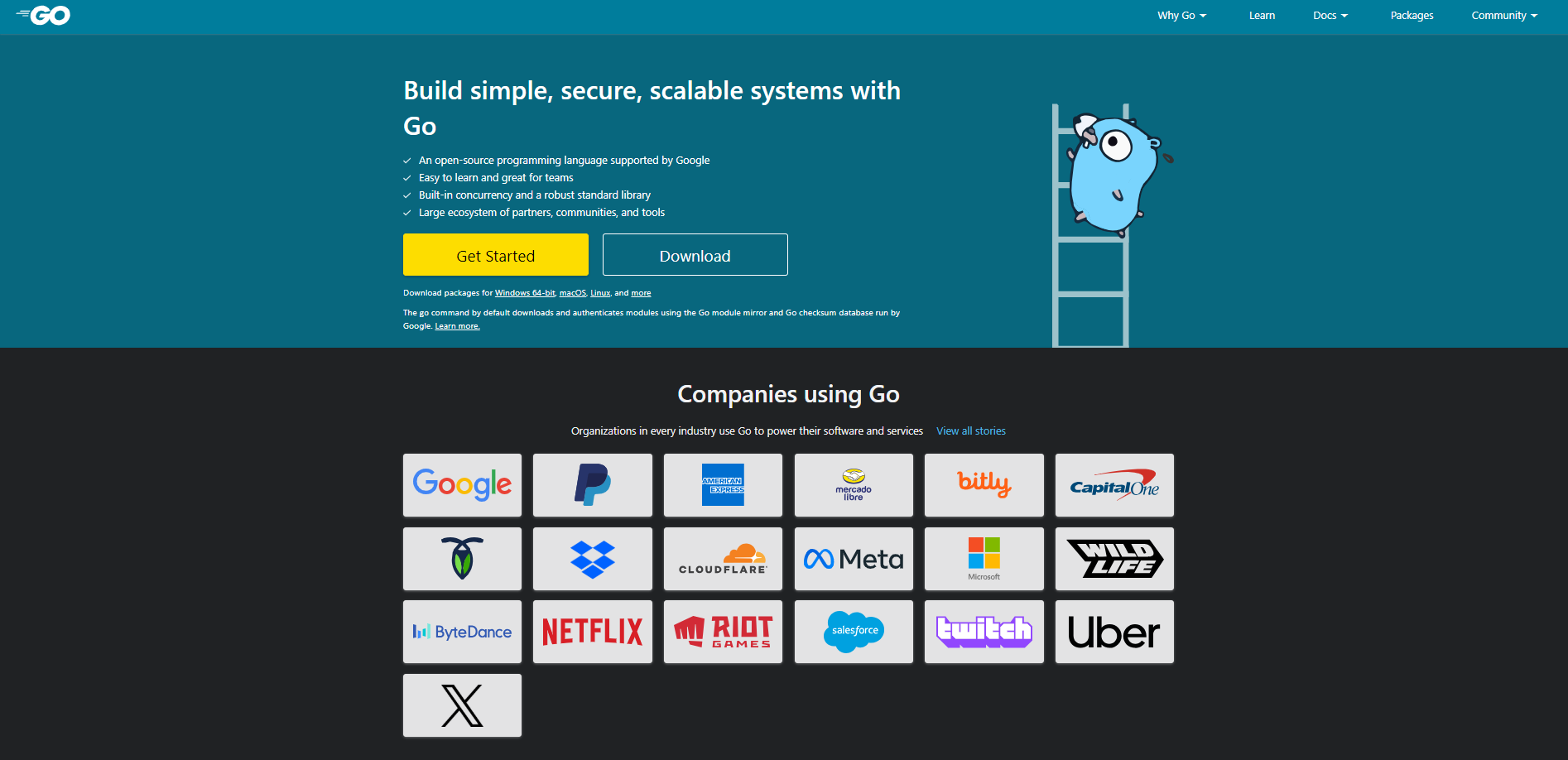
Best suited for: cloud services, microservices, backend APIs, command-line tools.
Difficulty: among the gentler compiled languages.
Consider it if you want cloud or platform engineering work.
Go was designed with a deliberately small feature set, which makes it quick to read and learn while compiling to native code. Its goroutines make concurrent programming considerably more approachable than in many older languages. Kubernetes and Docker are both written in Go, which is a reasonable indication of where the language is concentrated.
Where it is commonly used
- Cloud infrastructure and container tooling
- Microservices and high-throughput backend APIs
- Cross-platform command-line tools, distributed as single binaries
- Networking services, proxies, and observability tooling
Choose Go if
- You are targeting cloud, DevOps, or platform engineering
- You want compiled performance without a steep learning curve
- You prefer small, readable codebases
It may suit you less if
- You want to build user interfaces
- You need extensive third-party libraries for niche problems
- You value expressive language features, which Go intentionally limits
Practical note: developers arriving from Python or Java often try to work around Go’s simplicity rather than with it. The explicit error handling in particular reads as repetitive until you have debugged a production issue and found it useful. Learning Go on its own terms produces better results than treating it as a version of a language you already know.
C#
Best suited for: enterprise .NET applications, Unity game development.
Difficulty: moderate, comparable to Java.
Consider it if you want game development or enterprise work in the Microsoft ecosystem.
C# supports two fairly distinct career paths. The first is enterprise backend development with ASP.NET Core, which is well established in finance, healthcare, and logistics. The second is game development, where C# is the scripting language of the Unity engine. Since .NET became cross-platform, the earlier constraint of Windows-only development no longer applies.
Where it is commonly used
- Enterprise web APIs and backend services
- Unity games across mobile, console, and PC
- Windows desktop applications
- Azure cloud services and serverless functions
- Cross-platform applications via .NET MAUI
Choose C# if
- You want to build games and prefer Unity to Unreal Engine
- You are targeting enterprise work, particularly in Microsoft-heavy industries
- You value strong typing and mature tooling
It may suit you less if
- You want AI or data science work
- You are targeting Linux-first or open-source-first environments
- You want frontend web development
Practical note: if games are the goal, research the market before committing. Game development roles are competitive, and enterprise .NET work often pays better for comparable experience. Learning both paths keeps more options available.
Languages for Mobile App Development
Three practical options. The choice usually comes down to how many platforms you need to support and what budget you have.
Swift
Best suited for: iOS, iPadOS, and macOS applications.
Difficulty: moderate, with modern syntax.
Consider it if you want to build for Apple platforms.
Swift is Apple’s current language for its platforms and the standard choice for new development there. Its type system requires you to handle the possibility of missing values explicitly, which removes a common source of runtime crashes. SwiftUI has also changed day-to-day development by allowing interfaces to be built declaratively and shared across Apple devices.
Where it is commonly used
- Native iOS and iPadOS applications
- macOS desktop applications
- Apple Watch and Apple TV applications
- Server-side Swift, which remains a smaller area
Choose Swift if
- You want to build iOS applications with full access to platform capabilities
- Your target users are concentrated on Apple devices
- You want modern language design and integrated tooling
It may suit you less if
- You need Android support and cannot maintain two codebases
- You do not have access to a Mac, which is required for Apple platform development
- You want portability across non-Apple platforms
Practical note: the language is only part of what iOS roles ask for. SwiftUI, UIKit, and App Store submission experience appear regularly in job descriptions. Having shipped one application through App Store review demonstrates something that tutorial completion does not, because the review and distribution process is where beginners typically encounter unfamiliar requirements.
Kotlin
Best suited for: Android development, JVM backend services.
Difficulty: moderate, generally considered gentler than Java.
Consider it if Android is your target platform.
Kotlin is Google’s recommended language for Android development. It achieves what Java does with less boilerplate, and its null-safety system addresses a frequent cause of Android crashes at compile time rather than at runtime. Because it interoperates fully with Java, teams can adopt it incrementally. It is also used for backend development on the JVM, and Kotlin Multiplatform allows business logic to be shared across platforms.
Where it is commonly used
- Native Android applications
- JVM backend services and APIs, using Spring Boot or Ktor
- Shared cross-platform business logic
- Gradle build scripts and internal tooling
Choose Kotlin if
- Android is your primary target
- You already know Java and want a more concise language on the same runtime
- You want mobile skills that also transfer to backend work
It may suit you less if
- iOS is your primary platform
- You want to work outside the JVM and Android ecosystems
- You need the largest available library ecosystem, where Java remains broader
Practical note: learning Kotlin is not the same as learning Android. Jetpack Compose, lifecycle management, and the Android framework itself will take more time than the language. Building a simple screen early, rather than studying syntax for months first, tends to produce faster progress.
Dart
Best suited for: cross-platform applications with Flutter.
Difficulty: gentle to moderate.
Consider it if you need one codebase for both iOS and Android.
Dart is used primarily with Flutter, which addresses a specific constraint: shipping to iOS and Android without maintaining two separate codebases. Dart’s hot reload shortens the feedback loop during development, and it compiles ahead-of-time to native code for release builds, which keeps runtime performance closer to native than earlier cross-platform approaches achieved.
Where it is commonly used
- Cross-platform mobile applications
- Desktop applications for Windows, macOS, and Linux via Flutter
- Web applications, where Dart compiles to JavaScript
- Internal business tools that need to run on multiple platforms
Choose Dart if
- You need both iOS and Android with limited time or budget
- You are building an early product version where time to market matters
- You want one skill set covering mobile, desktop, and web
It may suit you less if
- You need deep platform-specific features or early access to new OS APIs
- You want maximum career flexibility, since Dart is used mainly with Flutter
- You are cautious about depending heavily on a single framework’s roadmap
Practical note: Flutter’s main constraint tends to be platform integration rather than performance. When a native capability lacks a mature plugin, the work falls back to platform-specific Swift or Kotlin. Experienced Flutter developers usually know some of both, which is worth planning for rather than discovering mid-project.
Languages for Data Science and Research
Python covers most general data work. These three hold territory it does not.
R
Best suited for: statistical analysis, academic and clinical research, bioinformatics.
Difficulty: moderate, and unfamiliar if you come from general programming.
Consider it if your work is statistics-first rather than software-first.
R was developed for statistical computing, and its depth in that area is its main advantage. For hypothesis testing, mixed-effects models, survival analysis, and similar work, its available methods and documentation are extensive. Its visualisation output through ggplot2 is designed for publication use. In practice, many data teams use both R and Python, with Python handling engineering and deployment and R handling exploratory and statistically rigorous analysis.
Where it is commonly used
- Clinical trial analysis in pharmaceutical research
- Academic research in economics, psychology, and the life sciences
- Bioinformatics and genomic data analysis
- Statistical reporting and interactive dashboards, using R Markdown and Shiny
Choose R if
- You are working in or entering pharma, academia, public health, or econometrics
- Your work involves formal statistical modelling rather than reporting alone
- You need reproducible research documents
It may suit you less if
- You want to build software products or web applications
- You want the broadest possible job market
- You are choosing a first language primarily for general employability
Practical note: R roles are frequently advertised under titles such as Biostatistician, Research Analyst, or Data Scientist rather than under the language name. Searching by role title rather than by language gives a more accurate picture of the market.
MATLAB
Best suited for: engineering simulation, control systems, signal processing.
Difficulty: moderate.
Consider it if you work in engineering rather than software development.
MATLAB is a numerical computing environment rather than a general-purpose language, and it is typically required by specific engineering disciplines rather than chosen for career reasons. In control systems, digital signal processing, and model-based design for automotive and aerospace applications, MATLAB and Simulink are long-established, particularly in regulated work where validated toolchains matter. Outside those fields, Python has become the more common choice.
Where it is commonly used
- Control systems design in aerospace, automotive, and robotics
- Digital signal processing in telecommunications and biomedical devices
- Image processing and computer vision research
- Model-based design and hardware-in-the-loop testing
Choose MATLAB if
- You are studying or working in electrical, mechanical, or aerospace engineering
- Your industry uses Simulink for model-based design
- Your employer or institution provides a licence
It may suit you less if
- You want general software or web development
- You are self-funding your learning, since licensing is a real cost
- You need open-source portability
Practical note: MATLAB is best learned because a specific role or programme requires it, rather than speculatively. Learning Python alongside it is worthwhile, since engineering teams often prototype in MATLAB and deploy in Python.
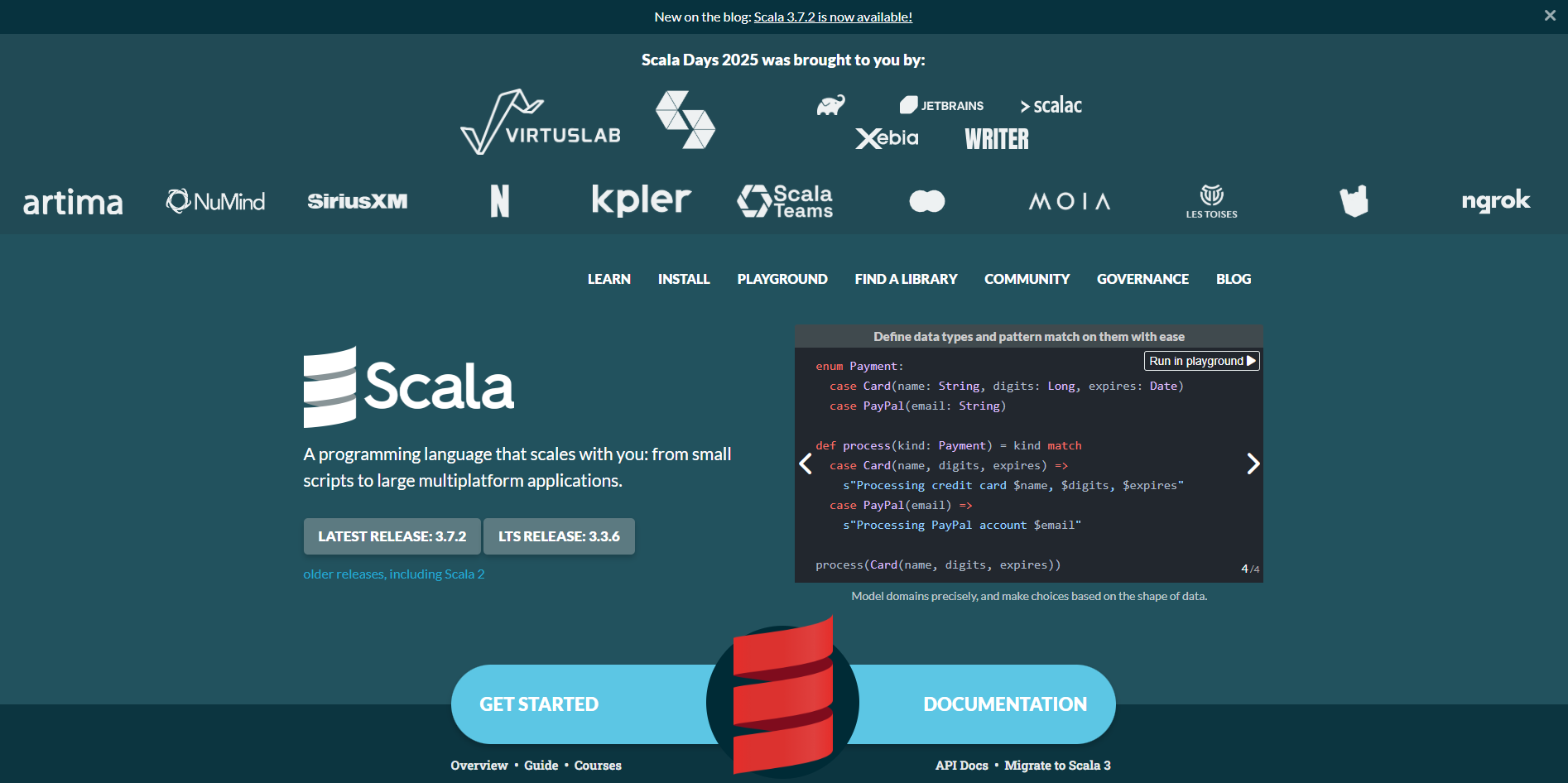
Scala
Best suited for: large-scale data processing and distributed systems.
Difficulty: steep, since it combines two programming paradigms.
Consider it if you want senior data engineering work.
Scala is closely associated with Apache Spark, which remains widely used for large-scale data processing. It runs on the JVM, giving access to the Java ecosystem, while adding functional programming features that make concurrent and distributed code more predictable. The difficulty is that combining object-oriented and functional styles offers considerable flexibility, including the flexibility to write code colleagues find hard to follow.
Where it is commonly used
- Apache Spark data pipelines
- Distributed, fault-tolerant backend systems, using Akka
- High-throughput financial and trading platforms
- Streaming data infrastructure, including Apache Flink
Choose Scala if
- You want data engineering work at organisations handling large data volumes
- You already know Java and want to move into distributed data work
- You are genuinely interested in functional programming
It may suit you less if
- It would be your first or second language
- You want general web or application development
- You need a large pool of entry-level openings
Practical note: Scala openings tend to be mid-level and above, because organisations adopt it for difficult distributed-systems problems and hire accordingly. It works better as a progression from existing Java or data engineering experience than as a starting point.
Older Languages That Still Offer Work
None of these are currently fashionable. All four still support paid work, and two have unusually low competition.
PHP
Best suited for: CMS websites, e-commerce, freelance and agency web work.
Difficulty: gentle.
Consider it if you want to start earning from web work relatively quickly.
PHP receives more criticism than its current state warrants. Modern PHP with Laravel is a productive stack, and recent major versions improved performance substantially over the ones that shaped its reputation. More practically, it runs a large share of the existing web, and WordPress alone generates ongoing maintenance and customisation work. It is less commonly chosen for new venture-funded products.
Where it is commonly used
- WordPress, Drupal, and Joomla sites and plugins
- E-commerce platforms including WooCommerce and Magento
- Web applications and APIs using Laravel or Symfony
- Agency and freelance client projects
Choose PHP if
- You want freelance or web agency work
- Earning sooner matters more to you than a higher long-term ceiling
- You are working with WordPress or e-commerce clients
It may suit you less if
- You are optimising for long-term salary growth
- You want AI, data, or systems programming work
- You want to join a team building a new product, where it is less commonly selected now
Practical note: there is a significant gap between older PHP and modern PHP, and a lot of freely available tutorial material teaches outdated patterns. Learning current PHP with Laravel, rather than procedural code with raw database queries, has a noticeable effect on the quality of work available to you.
Ruby
Best suited for: rapid web application development.
Difficulty: gentle.
Consider it if you are targeting organisations that already run Rails.
Ruby is known for readable syntax and developer productivity, and Ruby on Rails allows small teams to build working products quickly. Its share of new projects has narrowed since its peak, but a substantial number of established Rails applications remain in production and need maintaining and extending. Compensation tends to hold up reasonably well, partly because fewer developers now specialise in it.
Where it is commonly used
- Web applications and APIs built on Rails
- Internal tools and administrative systems
- DevOps and configuration automation
- Prototyping and early product versions
Choose Ruby if
- You are targeting a specific organisation you know runs Rails
- You want to build and launch a product idea quickly, working alone
- You value readable, low-ceremony code
It may suit you less if
- You want the largest number of available openings
- You want data science, mobile, or systems work
- You are concerned about long-term demand direction
Practical note: Ruby openings cluster by location and company type more than most languages. Searching current openings in your own market before committing is worth the time. A small number of local Rails roles can still be a good opportunity given how few candidates apply for them.
PowerShell
Best suited for: Windows and Azure automation, IT operations.
Difficulty: gentle to moderate.
Consider it if you work in IT, system administration, or cloud operations.
PowerShell functions less as a standalone career path and more as a multiplier for people already in infrastructure roles. Unlike traditional shells, it passes structured objects between commands rather than plain text, which removes much of the fragile string parsing that makes shell scripts brittle. For anyone managing Windows servers, Active Directory, Microsoft 365, or Azure, it converts repetitive manual work into repeatable scripts.
Where it is commonly used
- Windows Server and Active Directory administration
- Azure resource provisioning and management
- CI/CD pipelines in Microsoft environments
- Microsoft 365 and Exchange administration
- Security auditing and compliance reporting
Choose PowerShell if
- You are in or moving into system administration, DevOps, or cloud operations
- Your organisation runs on Windows, Azure, or Microsoft 365
- You want to move from manual IT work toward automation
It may suit you less if
- You want to build applications rather than manage systems
- Your environment is Linux-first, where shell scripting and Python matter more
- You want a language-led career path
Practical note: PowerShell is rarely the headline requirement in a job posting. It appears as a supporting requirement in System Administrator, DevOps Engineer, and Cloud Engineer roles. It is most effective learned alongside a cloud platform skill or certification rather than on its own.
Perl
Best suited for: legacy system maintenance and text processing.
Difficulty: moderate to steep, mainly because of readability.
Consider it if you want low-competition work maintaining established systems.
Perl is the contrarian entry on this list. New projects rarely start in it, and that is part of the opportunity: a considerable amount of infrastructure in telecom, finance, and bioinformatics runs on Perl scripts that still need to work, while the people who wrote them move on. Its regular expression handling remains a reference point for other languages, which is a large part of why it persisted in text-processing work.
Where it is commonly used
- Legacy system maintenance in telecom, banking, and insurance
- Log parsing, data extraction, and report generation
- Bioinformatics sequence analysis pipelines
- Linux system administration scripting
Choose Perl if
- You want low competition and are comfortable with maintenance work
- You already do Linux administration and want to go further
- You work in bioinformatics, where it is still encountered
It may suit you less if
- You want to build new products
- You want a growing job market
- It would be your first language
Practical note: Perl’s flexibility is also its main difficulty. In a codebase written over many years, you will encounter several different styles solving the same problem. The skill that pays in Perl work is reading other people’s code, so practising on real open-source Perl projects is more relevant than working through clean tutorials. MetaCPAN is a reasonable starting point.
How to Research Salaries for a Language
This guide does not publish a salary figure for each language, and it is worth explaining why rather than simply omitting it.
Language-level salary averages combine roles that have little in common. A “Python developer” average pools an entry-level automation scripter with a senior machine learning engineer. Figures also vary substantially by city, by company type, and by whether the data is self-reported or scraped. A single number per language would suggest a precision that the underlying data does not support.
What actually drives compensation, in roughly descending order of impact:
- Years of relevant experience. The gap between a junior and a senior developer in the same language is typically much larger than the gap between two languages at the same level.
- Company type. Product companies and funded startups generally pay differently from service and consulting organisations for the same skills.
- Domain specialisation. Machine learning, distributed systems, security, and quantitative finance carry a premium largely independent of language.
- Location, and whether the role is local or remote-international.
- The language itself, which matters least of the five.
How to get a realistic number for your own situation:
- Search your target role title, not the language name, on the job boards you would actually apply through, and filter by your city and experience level.
- Cross-check two or more sources rather than relying on one aggregator. Levels.fyi, Glassdoor, and AmbitionBox each collect data differently, and comparing them shows the spread.
- Note the date on any figure you find. Compensation data ages quickly.
- Where possible, look at ranges rather than averages, and check what experience level the range covers.
Broadly, languages with smaller pools of experienced developers tend to command higher rates than languages with large available supply. That is a general labour-market pattern rather than a property of the languages themselves, and it should not be the main basis for choosing what to learn.
Which Languages Suit Beginners Best?
If a gentle start is your main criterion, the languages most often recommended for beginners are Python, SQL, JavaScript, PHP, and Ruby, with Go as a reasonable option for anyone certain they want backend work.
Python removes much of the ceremony that tends to confuse beginners: no type declarations, no boilerplate class wrapper required to run a simple program.
SQL reaches useful competence faster than anything else here, because its scope is narrower and the feedback is immediate.
JavaScript provides visible results in a browser very early, which helps with motivation. Its ecosystem, however, is the least beginner-friendly aspect of it.
Go is unusually approachable for a compiled language, and it is a defensible first choice if backend or cloud work is the goal.
C++, Rust, Scala, and Perl may be less suitable for most complete beginners. This is a general observation rather than a rule. If you have a computer science background, a specific target role that requires one of them, or the time for full-time study, any of the four can work as a starting point. For someone learning part-time without prior programming experience, they tend to be harder to sustain.
Common Mistakes When Choosing a First Language
Learning several languages at once. This tends to produce shallow familiarity in three places rather than employable competence in one. Reaching the point where you can build something without following a tutorial is the milestone that matters; adding a second language after that is straightforward.
Choosing primarily on salary data. Discussed above. The languages associated with the highest reported pay are usually the harder ones with fewer entry-level roles, which makes them awkward first choices.
Treating the language and the stack as the same thing. Most roles require the language plus a dominant framework and its tooling. Reviewing real job postings before you start tells you what your actual learning plan needs to include.
Staying in tutorial mode. Moving from following instructions to building independently is the hardest transition in learning to program, and additional courses do not substitute for it. Building something small and slightly beyond your current ability is generally more effective than another tutorial.
Switching languages at the first difficulty. Most languages present a noticeable wall a couple of months in. Switching resets progress, and the same wall usually appears in the new language.
Remote Work as a Programmer
Remote software roles are now common, but access to them varies considerably, and it is worth being realistic about the conditions.
Whether a company can hire you remotely depends on several factors beyond your skills: the employment model available in your country, whether the role is offered as employment or as a contract, tax and compliance requirements in both jurisdictions, timezone overlap with the existing team, and the company’s own policy on distributed work. Some organisations hire internationally through an employer-of-record arrangement; others restrict hiring to countries where they already have a legal entity; others have moved back toward hybrid or on-site models. None of this is uniform, and it changes.
What tends to be within your control is the part of the process you can prepare for:
- Demonstrable project work. Reviewable code and shipped projects carry more weight in remote hiring, where employers have less local context about your background.
- Written communication in English. Distributed teams run largely on written updates. Developers who write clearly tend to be given more responsibility.
- Reasonable timezone overlap. A few hours of shared working time with the team matters more to most employers than total alignment.
- Familiarity with asynchronous tooling. Version control practice, issue tracking, and documentation habits are assessed more closely in remote roles.
If international remote work is your goal, it is worth researching which employment arrangements are actually available to you in your country before optimising your skills for it.
Key Takeaways
There is no single best programming language, only the language best suited to what you want to build and the time you have available. Python and JavaScript are sensible starting points for most people. SQL offers unusually good returns for a short time investment. Rust, Go, Scala, and C++ open up specialised work but generally function better as a second language than a first.
The more useful shift in thinking is this: experienced developers are not attached to particular languages. They select tools according to the problem, and they can do that because they learned one language properly first. Starting there is more productive than optimising the choice.