Web App Development
  Cloud App Development
  Front-End Development
  Cross Platform Development
  MVP Development
  Application Modernization
  PWA Development
  SaaS Application Development
  Software Development Outsourcing
  Offshore Custom Software Development
  Full Stack Software Development
  Custom Software Development
  Enterprise Software Development
  Cloud Computing Solutions
  Cloud Development
  Managed Cloud Services
  Cloud Native Development
  AI Consulting
  Machine Learning Development
  LLM Development
  AI Chatbot Development
  Data Analytics
  CI CD Development
  Digital Transformation
  Dev Ops
  Content Development
  Blockchain Development
  Web Development
  Web Design



 Generative AI
  Large Language Model
  AI Chatbot
  AngularJs
  ReactJS
  Dotnet Core
  Android
  iPhone
  Swift
Swift  E-Commerce
  NopCommerce
  BigCommerce
  Laravel
  Yii
Yii  AWS
AWS  Google Cloud
  Azure DevOps
  Automation Testing
  Security Testing
  API Testing
  Functional Testing
  MEAN Stack
  MERN Stack
  Full Stack Developers
  biz.encodedots
  biz@encodedots.com
  +91 99747 42737


- What Is a Mobile Application?
- What Is a Web Application?
- Types of Mobile Applications
- Why Are Mobile Apps Built?
- Why Are Web Apps Built?
- Web App Testing Frameworks
- Difference Between Mobile App and Web App
- Why to Choose the Right Web or Mobile App
- Final Thoughts
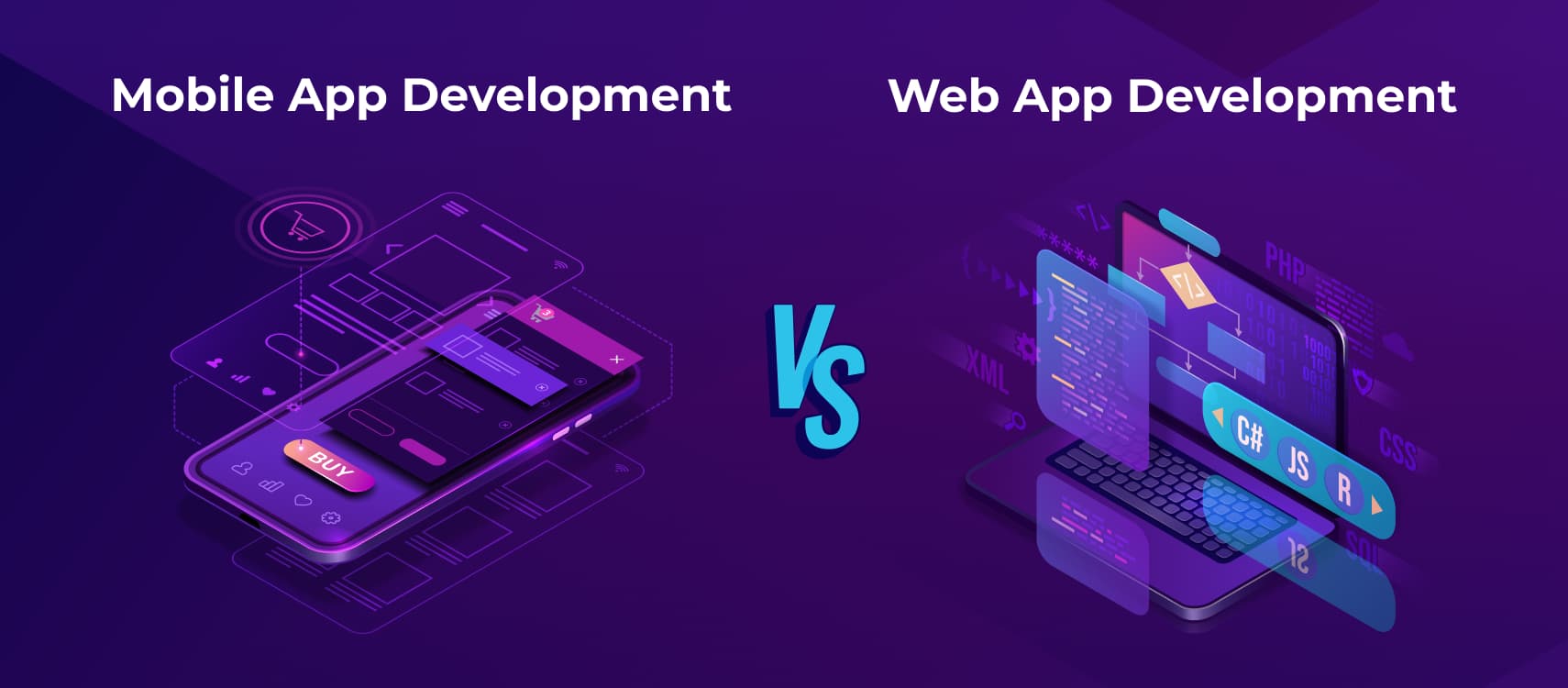
Choosing between a mobile app and a web app is one of the most critical Digital decisions a business can make today. With over 6.9 billion smartphone users worldwide and mobile apps accounting for nearly 88% of total mobile usage time, user expectations around speed, convenience, and performance are higher than ever. At the same time, modern web applications continue to dominate for reach, accessibility, and faster go-to-market strategies.
Despite this, many businesses still struggle to understand the real difference between mobile apps and web apps. Both solutions deliver Digital experiences, but they impact Development cost, user engagement, and long-term scalability in very different ways. According to industry reports, businesses that choose the wrong application model often see 30-40% higher rework costs due to performance limitations or poor user adoption.
A mobile application is built specifically for iOS or Android devices and is Designed to take full advantage of device hardware, offline capabilities, and push notifications. This is one of the reasons mobile apps typically achieve 3x higher user engagement compared to browser-based experiences. In contrast, a web application runs directly in a browser, allowing users to access it instantly without downloads, making it ideal for businesses prioritizing reach and rapid deployment.
From a cost perspective, studies show that web app Development can be 25-40% more affordable than native mobile app Development, especially for early-stage Startups or MVP launches. However, when long-term retention, personalization, and performance are key goals, mobile apps often deliver a stronger return on investment.
In this blog, we’ll compare mobile app vs web app using real data, performance benchmarks, Development costs, and real-world use cases. By the end, you’ll have a clear, evidence-based understanding of which solution aligns best with your users, industry, and business growth strategy.
What Is a Mobile Application?
A mobile application is more than just Software installed on a smartphone; it’s often the primary way users interact with brands, services, and digital products today. From ordering food and managing finances to booking appointments and collaborating at work, mobile apps have become an essential part of everyday life.
With over 6.9 billion smartphone users globally, businesses are no longer asking whether they need a mobile app, but Why well their app performs, engages users, and delivers value. A well-Designed mobile app is built specifically for mobile devices such as smartphones and tablets, offering faster performance, intuitive touch-based interactions, and deeper integration with device features like cameras, GPS, biometric authentication, and push notifications.
Unlike web-based solutions, a mobile application is Designed to work seamlessly within a device’s operating system, such as iOS or Android, allowing it to provide smoother navigation, offline functionality, and a more personalized user experience. This is why mobile apps consistently show higher engagement and retention rates compared to browser-based platforms.
From a business perspective, mobile apps play a crucial role in building long-term customer relationships. Studies show that users spend nearly 90% of their mobile time inside apps, making them one of the most effective channels for user engagement, brand loyalty, and recurring interactions. Whether it’s a consumer-facing app or an enterprise mobility solution, mobile applications enable businesses to stay connected with users in real time.
What Is a Web Application?
Think about the last time you booked a cab, checked your bank balance, collaborated on a document, or ordered food online. You were most likely using a web application, even if you didn’t realize it. Web applications have quietly become the backbone of modern digital experiences, powering everything from simple contact forms to complex enterprise platforms.
So, what is a web application, exactly?
A web application is a software program that runs on a web server and is accessed through a web browser using the internet. Unlike traditional desktop Software, a web app doesn’t need to be downloaded or installed on a device. Users can access it instantly through browsers like Chrome, Safari, or Firefox, making it one of the most accessible and scalable application types available today.
What makes web applications especially powerful is their ability to deliver dynamic, interactive experiences in real time. From cloud-based dashboards and eCommerce platforms to customer portals and SaaS products, modern web application development focuses on speed, security, responsiveness, and cross-device compatibility. In fact, businesses increasingly rely on web apps to reach wider audiences without the limitations of operating systems or app store approvals.
From an expertise standpoint, web apps are built using proven technologies such as HTML, CSS, JavaScript, and backend frameworks that ensure performance and scalability. From a business perspective, they offer faster deployment, easier maintenance, and lower upfront Development costs compared to native applications. This combination of technical reliability and business efficiency is why web applications remain a preferred choice for Startups and enterprises alike.
Types of Mobile Applications: Understanding What Powers Today’s Apps
Mobile applications can be classified based on Why they are developed, Why they operate across devices, and the type of experience they deliver to users. Choosing the right type of mobile application is not just a technical decision; it directly affects Development cost, performance, scalability, security, and long-term maintenance.
With users spending over 90% of their mobile time inside apps, businesses must carefully evaluate which mobile application type aligns best with their goals, target audience, and product roadmap. Below are the main types of mobile applications, explained with deeper technical and business context.
1. Native Mobile Applications
Native mobile applications are built specifically for a single operating system, such as iOS or Android, using platform-specific languages and development tools. iOS apps are commonly developed using Swift or Objective-C, while Android apps rely on Kotlin or Java.
Because native apps are Designed exclusively for one platform, they deliver superior performance, stability, and responsiveness. They can fully access device-level features such as the camera, GPS, microphone, biometric authentication, sensors, Bluetooth, and push notifications without limitations. This deep integration allows native apps to offer smoother animations, faster load times, and a highly polished user interface.
From an experience standpoint, native apps follow platform-specific UI/UX guidelines, which makes them feel intuitive to users. This is especially important for applications where user trust and performance are critical, such as banking apps, healthcare apps, ride-hailing platforms, and mobile games.
However, native app Development requires separate codebases for iOS and Android, which increases Development time and cost. Maintenance and feature updates also need to be handled independently for each platform.
2. Web Mobile Applications
Web mobile applications are software applications that run inside a mobile web browser and do not require installation from app stores. They are built using standard web technologies such as HTML, CSS, and JavaScript, and are accessible via URLs.
One of the biggest advantages of web mobile apps is their ease of access. Users can instantly open the application without downloading anything, making web apps highly convenient for first-time users. Updates are applied centrally on the server, ensuring all users always access the latest version.
From a cost and maintenance perspective, web apps are more affordable than native or cross-platform apps because they rely on a single codebase and simpler infrastructure. However, they offer limited access to device features and typically depend on a stable internet connection to function properly.
Web mobile apps are often used for content-heavy platforms, landing-based services, dashboards, and early-stage MVPs, where speed to market and reach are more important than advanced functionality.
3. Hybrid Mobile Applications
Hybrid mobile applications combine the characteristics of both native and web applications. They are built using web technologies but are wrapped inside a native container, allowing them to be distributed through app stores like traditional native apps.
This approach enables developers to reuse a significant portion of the code across platforms, reducing Development time and cost. Hybrid apps can access certain device features through plugins, although not as seamlessly as native apps.
In the past, hybrid apps were often criticized for performance limitations. However, modern frameworks and improved hardware capabilities have significantly enhanced their performance, making them a viable option for many business use cases.
Hybrid apps are commonly used by businesses that want to launch quickly across platforms without investing heavily in native development for each operating system.
4. Cross-Platform Mobile Applications
Cross-platform mobile applications are developed using a single codebase that runs on multiple operating systems, typically iOS and Android. Frameworks like Flutter, React Native, and Xamarin enable developers to build apps that deliver near-native performance while maintaining code efficiency.
This approach offers a strong balance between cost, performance, and scalability. Cross-platform apps can access most device features and provide consistent user experiences across platforms, making them one of the most widely adopted mobile application types today.
From a business standpoint, cross-platform development reduces Development effort, speeds up launches, and simplifies long-term maintenance. Updates and feature rollouts can be managed more efficiently compared to native apps.
5. Progressive Web Applications (PWAs)
Progressive Web Applications (PWAs) are advanced web applications that deliver an app-like experience directly through a browser. They support features such as offline access, push notifications, fast loading speeds, and home screen installation without requiring app store distribution.
PWAs are especially effective for businesses focused on user engagement and performance while avoiding app store restrictions and approval processes. They also consume less storage space compared to native apps and work across different devices and screen sizes.
Many e-commerce brands and content platforms use PWAs to improve page load times, reduce bounce rates, and increase conversions, particularly in regions with limited network connectivity.
6. Enterprise Mobile Applications
Enterprise mobile applications are Designed specifically to support internal business operations. These applications focus on security, scalability, and integration with enterprise systems such as CRM, ERP, HRMS, and analytics platforms.
Unlike consumer-facing apps, enterprise apps prioritize data protection, role-based access, and compliance standards. They are often customized to match organizational workflows and are built to handle large-scale user access and sensitive information.
Enterprise mobile apps improve productivity by enabling employees to access real-time data, automate processes, and collaborate efficiently from anywhere.
Why Are Mobile Apps Built?
Every successful mobile app, whether it’s a banking app, a fitness tracker, or a food delivery platform, starts long before a single line of code is written. Building a mobile app is not just about Development; it’s a structured process that combines strategy, user experience design, engineering expertise, and rigorous testing to deliver a product people actually want to use.
So, Why are mobile apps built in the real world?
The process begins with understanding the problem the app is meant to solve. Experienced mobile app Development teams focus first on user needs, business goals, and technical feasibility. Skipping this step is one of the main reasons why nearly 70% of mobile apps fail within their first year, often due to poor planning or lack of market fit.
Once the foundation is clear, the mobile app building process moves into design and architecture planning. This is where decisions are made between native app Development, cross-platform app Development, or hybrid mobile app Development, each approach impacting performance, cost, and scalability. Choosing the right technology stack is critical, as mobile users expect fast load times, intuitive navigation, and seamless performance across devices.
From there, developers bring the app to life using platform-specific tools such as Swift for iOS, Kotlin for Android, or frameworks like Flutter and React Native for cross-platform mobile applications. Throughout Development, continuous testing ensures security, performance, and usability standards are met before launch.
Why Are Web Apps Built?
Every smooth login, instant dashboard update, or real-time notification you experience in a browser is the result of a carefully planned web application development process. While web apps may look simple on the surface, building a reliable, scalable, and secure web app requires a combination of strategy, engineering expertise, and proven Development practices.
So, Why are web apps built in the real world? It starts long before any code is written. Successful web applications are Designed around clear business goals, user behavior, and technical feasibility. Development teams begin by defining requirements, selecting the right architecture, and choosing technologies that support performance, security, and future scalability.
From a technical perspective, web apps are built using a layered architecture. The frontend handles everything users see and interact with, typically developed using HTML, CSS, and JavaScript frameworks. The backend powers business logic, APIs, authentication, and data processing, while databases store and manage application data. This separation ensures flexibility, easier maintenance, and long-term growth.
Modern web application development also emphasizes security and performance from day one. Developers implement secure authentication, data encryption, and regular testing to protect user data and ensure compliance with industry standards. At the same time, optimization techniques such as caching, load balancing, and API efficiency help web apps handle increasing traffic without compromising speed.
Most Common Web App Testing Frameworks
Modern web applications are expected to be fast, secure, and flawless, yet even a single bug can lead to lost users, revenue drops, or damaged trust. In fact, studies show that over 88% of users are less likely to return to a website after a poor experience, making quality assurance a critical part of web application development. This is where web app testing frameworks play a vital role.
Web application testing frameworks provide structured tools and libraries that help developers and QA teams test functionality, performance, security, and compatibility before a product reaches users. Instead of relying on manual checks alone, these frameworks automate repetitive test cases, detect issues early, and ensure consistent application behavior across browsers and devices.
As web apps grow more complex, integrating APIs, cloud services, and real-time user interactions, the need for reliable automated testing frameworks for web applications has become non-negotiable. From validating user flows and UI components to simulating high traffic and edge cases, the right testing framework directly impacts Software stability and release confidence.
Today, teams choose testing frameworks based on factors like scalability, language support, CI/CD compatibility, and ease of maintenance. Popular solutions such as Selenium, Cypress, Playwright, and Jest have become industry standards because they balance performance with flexibility. Selecting the right framework is not just a technical choice; it’s a strategic decision that affects Development speed, testing accuracy, and long-term product quality.
Difference Between Mobile App and Web App
When businesses plan a Digital product, one of the first and most critical decisions they face is choosing between a mobile app and a web app. While both aim to deliver seamless user experiences, the way they are built, accessed, and used is fundamentally different. Making the wrong choice can affect user engagement, Development cost, performance, and long-term scalability.
A mobile application is Designed specifically for smartphones and tablets and is installed directly on the device through app stores like Google Play or Apple App Store. A web application, on the other hand, runs inside a web browser and can be accessed instantly using a URL without any installation. This core difference influences everything from performance and offline access to maintenance and user retention.
Understanding the difference between a mobile app and a web app is not just a technical requirement; it’s a business necessity. Startups often prefer web apps for faster launch and lower costs, while enterprises may choose mobile apps for deeper personalization and higher engagement. Each option has strengths and limitations depending on user behavior, budget, and business goals.
Below is a detailed, side-by-side comparison of mobile apps vs web apps to help you clearly understand Why they differ across Development, performance, cost, security, and user experience.
Mobile App vs Web App: Detailed Comparison Table
| Feature | Mobile App | Web App |
| Definition | A mobile app is a software application installed directly on a smartphone or tablet | A web app is a browser-based application accessed through the internet |
| Installation | Requires download and installation from app stores | No installation required; accessed via web browser |
| Platform Dependency | Platform-specific (iOS, Android) | Platform-independent |
| Access Method | App icon on the device | URL through a web browser |
| Performance | Faster and more responsive due to device-level optimization | Slightly slower, as it depends on the browser and the internet |
| Offline Access | Supports offline functionality | Limited or no offline access |
| Device Features | Full access to camera, GPS, contacts, sensors | Limited access to device hardware |
| User Experience | Highly personalized and optimized UI/UX | Consistent but less personalized experience |
| Push Notifications | Fully supported | Limited browser-based notifications |
| Security | Strong security with OS-level controls | Relies on browser and server-side security |
| Development Cost | Higher due to multiple platforms | Lower compared to mobile apps |
| Maintenance & Updates | Requires app store approvals for updates | Updates are instant on the server |
| Scalability | Requires platform-specific scaling | Easier to scale across users |
| Time to Market | Longer Development and release cycles | Faster deployment |
| Use Cases | Banking apps, fitness apps, gaming, and social media | e-commerce sites, dashboards, portals |
| SEO Visibility | Not searchable by search engines | Fully indexable and SEO-friendly |
| Monetization | In-app purchases, subscriptions | Ads, subscriptions, lead generation |
| Best For | High engagement, frequent users | Wide reach, cost-effective solutions |
Why to Choose the Right Web or Mobile App for Your Business
There’s no universal winner in the mobile app vs web app discussion because the right choice depends entirely on your users, your goals, and Why you plan to scale. While both platforms are capable of delivering powerful Digital experiences, choosing the wrong one can lead to wasted budgets, poor adoption, and avoidable rework.
At a surface level, web applications and mobile applications may appear to offer similar functionality. Both can deliver real-time solutions, interactive interfaces, and seamless user journeys. However, the way users interact with them and the effort required to build, test, and maintain them differ significantly.
One of the biggest challenges businesses face is reaching users where they are most active. Mobile apps often deliver higher engagement and personalization, while web apps offer broader reach and faster accessibility. Understanding your audience behavior, such as device usage, session frequency, and performance expectations, is critical before committing to either platform.
Another key factor is testing and quality assurance. Choosing the right platform isn’t just about Development; it’s also about ensuring consistent performance across devices, browsers, and operating systems. Effective web and mobile app testing strategies help teams achieve higher test coverage, faster release cycles, and long-term product stability throughout the SDLC.
At encodedots, we help businesses make this decision based on real-world usage data, scalability requirements, and technical feasibility, not assumptions. Our teams design and test web and mobile applications using structured QA processes, automation-ready workflows, and CI/cd-compatible testing environments to ensure products perform reliably under real user conditions.
Whether you’re launching an MVP, modernizing an existing platform, or scaling a full-fledged Digital product, selecting the right app type is a strategic move. When guided by experience, data, and the right testing approach, businesses can deliver faster, smarter, and more reliable applications without unnecessary complexity.
Final Thoughts
In today’s Digital-first landscape, most businesses naturally lean toward mobile-first experiences, and for good reason. Users spend the majority of their digital time inside mobile apps, expecting fast performance, smooth interactions, and reliable functionality. While web applications continue to serve important roles in accessibility and reach, they often work best when paired with a mobile solution rather than replacing it entirely.
That said, the difference between mobile apps and web apps isn’t about which is “better” in general; it’s about which is right for your specific use case. Mobile apps excel in performance, offline access, and deep device integration, while web apps offer faster deployment, broader compatibility, and easier maintenance. Each brings distinct advantages depending on user behavior, business objectives, and growth plans.
Cost is no longer the deciding factor it once was. Modern Development frameworks, cross-platform technologies, and automation tools have significantly reduced the complexity and expense of building mobile applications. At the same time, web apps remain a cost-efficient choice for businesses that prioritize reach and rapid iteration. The real challenge today lies in making the right architectural decision early, before scaling amplifies the impact of that choice.
At encodedots, we help businesses evaluate this decision through a practical lens, considering performance expectations, scalability needs, security requirements, and long-term ROI. Our teams don’t push one platform over the other. Instead, we Design and deliver web apps, mobile apps, or hybrid solutions based on what will create the most value for users and stakeholders.
In the end, successful Digital products are not defined by the platform they run on, but by Why effectively they solve real problems. With the right strategy, Development approach, and testing framework in place, businesses can build applications that perform reliably, scale confidently, and evolve with user needs today and in the future.